
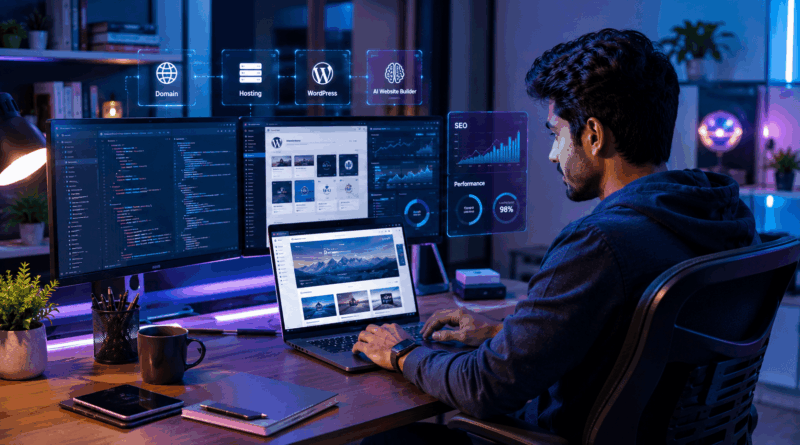
Website Building: ब्लॉग और Website बनाने का आसान तरीका
आज खुद की website बनाना पहले से कहीं आसान हो गया है। थोड़ी जानकारी के साथ Website Building कोई भी कर सकता है — बिना coding सीखे। इस guide में ब्लॉग और website बनाने यानी Website Building का आसान तरीका बताया गया है।
क्या आप जानते हैं कि बिना एक भी Line Coding सीखे आप सिर्फ एक दिन में अपनी Website Live कर सकते हैं? ब्लॉग और Website बनाने का आसान तरीका जानने के बाद Students, Freelancers और Small Business Owners — कोई भी अपनी Online पहचान और Income दोनों बना सकता है। इस Step-by-Step गाइड में आप सीखेंगे — सही Niche और Domain कैसे चुनें, WordPress पर Website कैसे Setup करें, SEO से Google में Rank कैसे पाएं, और अपने Blog से पैसे कमाने के असली तरीके क्या हैं।
Blog और Website में क्या अंतर है?
दोनों Online Platforms हैं, लेकिन उद्देश्य अलग है। Website मुख्य रूप से Business, Portfolio या Services दिखाने के लिए बनाई जाती है — इसके Pages (Home, About, Services, Contact) ज्यादातर Fixed रहते हैं। वहीं Blog पर नियमित रूप से Articles और नई जानकारी Publish होती है।
अच्छी खबर यह है कि आज दोनों को मिलाकर चलाना सबसे Smart Strategy है — Business Website के साथ Blog Section रखने से Google Traffic भी मिलता है और Customers का भरोसा भी बढ़ता है। Blogging के 4 बड़े फायदे:
- Online Identity: आपका नाम आपके Niche में एक Brand बनता है।
- Passive Income: एक बार लिखा Article सालों तक Earning दे सकता है।
- Audience Building: Email List और Loyal Readers आपकी असली Asset बनते हैं।
- Career Boost: Portfolio Website Freelancers को ज्यादा Clients दिलाती है।
Step 1: सही Niche चुनें
Niche यानी आपका Topic — यही आपकी पूरी Journey की दिशा तय करता है। Technology, Health, Travel, Finance और Education जैसे Niches में Traffic ज्यादा है, लेकिन Competition भी। Niche चुनते समय तीन सवाल खुद से पूछें:
- Interest: क्या मैं इस Topic पर 50+ Articles लिख सकता हूं?
- Knowledge: क्या मुझे इसकी अच्छी समझ है या मैं सीखने को तैयार हूं?
- Earning Potential: क्या इस Niche में AdSense और Affiliate की संभावना है?
Step 2: Domain और Hosting Setup करें
अच्छा Domain Name कैसे चुनें?
Domain Name आपकी Website का Online Address है — जैसे example.com। अच्छा Domain Short, Easy to Remember और Brandable होना चाहिए। .com सबसे भरोसेमंद Extension है, भारतीय Audience के लिए .in भी अच्छा विकल्प है। एक Domain की कीमत आमतौर पर ₹500–₹900 प्रति वर्ष होती है।
Hosting क्या होती है और कौन सी लें?
Hosting वह जगह है जहां आपकी Website की Files Store होती हैं। Beginners के लिए Shared Hosting सबसे सही है — ₹150–₹300 प्रति महीना में मिल जाती है। Traffic बढ़ने पर आप Cloud Hosting में Upgrade कर सकते हैं। Hosting लेते समय Free SSL Certificate, अच्छा Uptime और Customer Support जरूर देखें।
Step 3: Platform चुनें — WordPress, Blogger या AI Builder?
| Platform | Cost | Control | किसके लिए Best |
|---|---|---|---|
| WordPress.org | Domain + Hosting (लगभग ₹2,500–4,000/साल) | Full Control, हजारों Themes और Plugins | Serious Bloggers और Business |
| Blogger | Free | Limited Design और Features | शुरुआती Practice के लिए |
| AI Website Builders (Wix, Hostinger AI) | Monthly Plan | Drag and Drop, AI Design Suggestions | जल्दी Simple Website चाहने वाले |
दुनिया की 40% से ज्यादा Websites WordPress पर चलती हैं — वजह है इसका Easy Interface, SEO-Friendly Structure और हजारों Free Themes व Plugins। Hosting के cPanel से WordPress सिर्फ 1-Click में Install हो जाता है। AI Website Builders भी तेजी से बढ़ रहे हैं, जो Design Suggestions, Layout और Content तक खुद बना देते हैं — लेकिन Full Control के लिए WordPress ही Best है।
Step 4: Design और Content तैयार करें
Professional Design Visitors पर पहला Impression बनाती है। ध्यान रखने वाली बातें:
- Clean Layout: Simple Theme चुनें, ज्यादा Colors और Widgets से बचें।
- Mobile Friendly Design: 70% से ज्यादा Visitors Smartphone से आते हैं — Responsive Theme जरूरी है।
- Fast Loading: 3 सेकंड से ज्यादा Loading Time पर आधे Visitors वापस चले जाते हैं — Images Compress करें और Caching Plugin लगाएं।
- Quality Content: Helpful, Unique और Easy-to-Read Articles ही Blog की असली ताकत हैं। AI से Content Draft बना सकते हैं, लेकिन Human Editing और अपना Experience जोड़ना जरूरी है।
Security भी पहले दिन से ध्यान रखें — Strong Password, SSL Certificate (HTTPS) और Regular Backups आपकी Website को Hackers से बचाते हैं।
Step 5: SEO से Google में Rank करें
SEO (Search Engine Optimization) ही वह Skill है जो आपके Blog पर Free Google Traffic लाती है। Basic SEO Checklist:
- Keyword Research: वो शब्द ढूंढें जो लोग Google पर Search करते हैं और उन्हें Title व Content में Use करें।
- Quality Content: Google उसी Content को Rank करता है जो User के सवाल का पूरा जवाब दे।
- Internal Linking: अपने ही Articles को आपस में Link करें।
- Fast और Mobile-Friendly Website: यह Google का Ranking Factor है।
SEO की पूरी जानकारी के लिए पढ़ें: SEO क्या है और Website को Google में Rank कैसे करें? साथ ही Google की Official SEO Starter Guide भी जरूर देखें।
Step 6: Blog से पैसे कैसे कमाएं?
- Google AdSense: Blog पर Ads दिखाकर हर Click से Earning — Approval के लिए 20–25 Quality Articles और अच्छा Traffic चाहिए।
- Affiliate Marketing: Products Recommend करके हर Sale पर Commission कमाएं — विस्तार से जानें: Affiliate Marketing से पैसे कैसे कमाएं?
- Sponsored Posts: Brands आपके Blog पर अपने Products के Articles के लिए Payment करते हैं।
- अपनी Services या Products: Portfolio से Freelance Clients पाएं या E-commerce Store जोड़कर Online बेचें।
Traffic बढ़ाने के लिए Social Media (Instagram, Facebook, Pinterest, YouTube) पर अपने Articles Share करें। Free में Traffic लाने के और तरीके यहां पढ़ें: Free में Website Traffic बढ़ाने के तरीके।
इन 4 गलतियों से बचें
- Copy Content: दूसरों का Content Copy करने से Google कभी Rank नहीं देगा और AdSense Approval भी नहीं मिलेगा।
- SEO Ignore करना: बिना SEO के अच्छा Content भी Google में दबा रह जाता है।
- Inconsistent Posting: महीने में 1 Article से Growth नहीं होती — हफ्ते में कम से कम 1–2 Articles का Schedule बनाएं।
- जल्दी हार मानना: Blogging में Results 6–12 महीने में दिखते हैं — Consistency ही Success की चाबी है।
निष्कर्ष: आज ही अपनी Website शुरू करें
Blog और Website बनाना अब Rocket Science नहीं — सही Niche चुनें, ₹3,000–4,000 के Budget में Domain और Hosting लें, WordPress Install करें, SEO-Friendly Content लिखें और Consistent रहें। AI Website Builders, Voice Search SEO और Interactive Websites जैसे Trends के साथ Blogging का भविष्य और भी Bright है। जो आज शुरुआत करेगा, वही कल की Online Earning का फायदा उठाएगा।
आपका Blog किस Topic पर होगा? नीचे Comment में अपना Niche बताएं और यह गाइड अपने उन दोस्तों को Share करें जो Online शुरुआत करना चाहते हैं। आगे की Learning के लिए पढ़ें: घर बैठे Coding कैसे सीखें?
Website बनाने में कितना खर्च आता है?
Basic Blog या Website के लिए Domain (₹500-900/साल) और Shared Hosting (₹150-300/महीना) काफी है — यानी कुल ₹2,500-4,000 प्रति वर्ष। Blogger जैसे Free Platforms पर बिना खर्च भी शुरुआत की जा सकती है, लेकिन Professional Growth के लिए Paid Website बेहतर है।
क्या बिना Coding के Website बना सकते हैं?
हां, बिल्कुल। WordPress, Wix और AI Website Builders की मदद से Drag and Drop तरीके से Professional Website बनाई जा सकती है। WordPress में Ready Themes और Plugins से Design से लेकर SEO तक सब कुछ बिना Coding हो जाता है।
Blog से पैसे कमाने में कितना समय लगता है?
आमतौर पर 6-12 महीने की Consistent Blogging के बाद अच्छी Earning शुरू होती है। AdSense Approval के लिए 20-25 Quality Articles और Regular Traffic जरूरी है। Affiliate Marketing और Sponsored Posts से Income को कई गुना बढ़ाया जा सकता है।
Blogging के लिए WordPress या Blogger — कौन बेहतर है?
शुरुआती Practice के लिए Blogger Free और आसान है, लेकिन Serious Blogging के लिए WordPress.org बेहतर है। WordPress में Full Control, हजारों Themes, Plugins और बेहतर SEO Options मिलते हैं। दुनिया की 40% से ज्यादा Websites WordPress पर ही चलती हैं।
नए Blog के लिए कौन सा Niche सबसे अच्छा है?
वही Niche सबसे अच्छा है जिसमें आपका Interest और Knowledge दोनों हों — जैसे Technology, Health, Travel, Finance या Education। Niche चुनते समय देखें कि क्या आप उस पर 50+ Articles लिख सकते हैं और क्या उसमें Earning Potential है।
FAQ: Website Building से जुड़े सवाल
Website Building कैसे शुरू करें?
Domain और hosting लें, WordPress install करें और theme चुनकर content डालें — यह बेसिक Website Building प्रक्रिया है।
क्या Website Building के लिए coding जरूरी है?
नहीं, WordPress और website builders से बिना coding के भी Website Building की जा सकती है।
Website Building में कितना खर्च आता है?
Domain और hosting मिलाकर Website Building ₹3,000-₹5,000 सालाना में शुरू हो सकती है।
यह भी पढ़ें
निष्कर्ष (Conclusion)
Website Building आज एक आसान और valuable skill है। आज ही अपनी website बनाएं और online presence शुरू करें। अधिक जानकारी के लिए WordPress.org देखें।