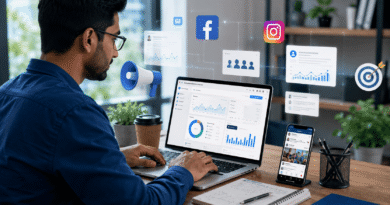

Google Ads से बिजनेस में ज्यादा Leads कैसे लाएं?
जल्दी और targeted results के लिए Google Ads सबसे powerful marketing tool है। सही तरीके से चलाई गई Google Ads campaign business में ज्यादा leads और sales लाती है। इस guide में Google Ads से leads बढ़ाने के तरीके बताए गए हैं।
जल्दी और targeted results के लिए Google Ads सबसे powerful marketing tool है। सही तरीके से चलाई गई Google Ads campaign business में ज्यादा leads और sales लाती है। इस guide में Google Ads से leads बढ़ाने के तरीके बताए गए हैं।
जब कोई Google पर “laptop repair near me” या “best coaching institute” search करता है, तो वह सिर्फ browse नहीं कर रहा — वह खरीदने के लिए तैयार है। यही वजह है कि Google Ads leads लाने का सबसे powerful platform माना जाता है: आप उन्हीं लोगों तक पहुंचते हैं जो पहले से आपकी service खोज रहे हैं। लेकिन सिर्फ ads चलाने से leads नहीं आतीं — सही keywords, दमदार ad copy, fast landing page और conversion tracking चाहिए। इस guide में आप step-by-step सीखेंगे कि Google Ads से quality leads कैसे लाएं और budget waste होने से कैसे बचाएं।
Google Ads और Lead Generation: Basics समझें
Google Ads एक paid advertising platform है जिससे आपके ads Google Search results, YouTube, websites और mobile apps पर दिखाए जाते हैं। Account बनाना free है और शुरुआत आप Google Ads की official website से कर सकते हैं।
Lead का मतलब है potential customer की जानकारी या enquiry — जैसे contact form submission, phone call, WhatsApp message या email signup। Facebook जैसे platforms जहां interest के आधार पर ads दिखाते हैं, वहीं Google Ads intent-based marketing है — user खुद बताता है कि उसे क्या चाहिए। इसीलिए यहां से आने वाली leads की quality अक्सर सबसे अच्छी होती है।
Step 1: सही Campaign Type चुनें
हर campaign type का अलग काम है। Leads के लिए कौन सा कितना असरदार है, इस table से समझें:
| Campaign Type | कहां दिखता है | Leads के लिए कितना असरदार | किसके लिए Best |
|---|---|---|---|
| Search Ads | Google Search results में | सबसे ज्यादा (high intent) | Services, local business, B2B |
| Display Ads | Websites और apps पर banners | कम (awareness के लिए) | Brand awareness, remarketing |
| Video Ads | YouTube पर | Medium | Product demos, brand building |
| Shopping Ads | Search में product photos के साथ | High (e-commerce के लिए) | Online stores |
| Performance Max | सभी Google platforms पर | High (AI-optimized) | Experienced advertisers |
Beginners के लिए सीधा सुझाव — Search Ads से शुरुआत करें। यहां user पहले से solution खोज रहा होता है, इसलिए conversion की संभावना सबसे ज्यादा रहती है।
Step 2: Keyword Research — Quality Leads की नींव
High Intent और Long Tail Keywords चुनें
“Digital marketing” जैसे broad keyword पर ad चलाना महंगा और बेअसर है। इसके बजाय वो keywords चुनें जिनमें खरीदने की मंशा साफ दिखे — “best SEO agency in Delhi”, “affordable web design service”, “gym membership price near me”। ऐसे long tail keywords पर competition कम, CPC सस्ता और conversion rate काफी बेहतर होता है। Local business हैं तो हर keyword के साथ अपने शहर का नाम जरूर जोड़ें।
Negative Keywords से Budget बचाएं
यह सबसे underrated trick है। “Free”, “jobs”, “course”, “salary” जैसे words negative keywords में डालें ताकि आपका ad उन लोगों को न दिखे जो कभी customer नहीं बनेंगे। सिर्फ इस एक setting से advertisers का 15-25% तक budget waste होने से बच जाता है। हर हफ्ते Search Terms report देखकर नई negative keywords जोड़ते रहें।
Step 3: Ad Copy और Extensions जो Click दिलाएं
असरदार Ad Copy का Formula
आपकी ad copy में तीन चीजें होनी चाहिए — clear benefit (“24 घंटे में delivery”), problem-solving message (“AC खराब? आज ही ठीक कराएं”) और strong CTA (“Get Free Quote”, “Book Today”, “Call Now”)। Headline में main keyword जरूर रखें — इससे relevance और Quality Score दोनों बढ़ते हैं।
Ad Extensions (Assets) का पूरा उपयोग करें
Call extensions (सीधे call का button), location extensions (map पर आपका पता) और sitelinks (extra page links) — ये free में आपके ad को बड़ा और ज्यादा भरोसेमंद बनाते हैं। Extensions वाले ads का CTR अक्सर 10-15% बेहतर होता है, और leads के लिए call extension तो जरूरी ही समझें।
Step 4: Landing Page — जहां Click Lead बनता है
आधी leads यहीं मरती हैं। User ने ad पर click किया, लेकिन page slow खुला या form ढूंढना पड़ा — और वह वापस चला गया। आपकी landing page में ये चीजें होनी चाहिए:
- 3 seconds में load: mobile पर slow page यानी गई हुई lead — ज्यादातर searches अब mobile से होती हैं।
- Ad से matching message: ad में जो promise किया, page पर वही सबसे ऊपर दिखे।
- छोटा form: सिर्फ नाम और phone number मांगें — हर extra field conversion घटाती है।
- Trust signals: customer reviews, ratings और real photos भरोसा बढ़ाते हैं।
- एक ही clear CTA: “Free Consultation Book करें” जैसा एक प्रमुख button — कई options से confusion बढ़ता है।
Step 5: Tracking, Remarketing और Quality Score
Conversion Tracking के बिना Ads मत चलाएं
Calls, form submissions और purchases — सब track करें। बिना tracking के आपको पता ही नहीं चलेगा कि कौन सा keyword पैसे कमा रहा है और कौन सा सिर्फ खर्च करा रहा है। Google Ads में conversion tracking setup free है और 30 मिनट में हो जाता है।
Remarketing: दूसरा मौका, सस्ती Lead
ज्यादातर visitors पहली बार में enquiry नहीं करते। Remarketing से आप उन्हीं लोगों को दोबारा ads दिखाते हैं जो आपकी website पर आ चुके हैं — ये warm audience cold traffic से कई गुना सस्ते में convert होती है। Facebook पर भी यही strategy काम करती है — पढ़ें: Facebook Ads चलाने का सही तरीका।
Quality Score से CPC घटाएं
Google हर keyword को 1-10 का Quality Score देता है — relevant ad copy, अच्छा CTR और बेहतर landing page experience इसे बढ़ाते हैं। High Quality Score का सीधा फायदा: कम CPC और बेहतर ad position। यानी quality सुधारने से वही leads कम पैसों में मिलती हैं।
Budget Planning और A/B Testing
शुरुआत में ₹300-500 daily budget से 2 ad groups test करें। 7-10 दिन का data आने के बाद — जो keywords और ads leads ला रहे हैं, उन पर budget बढ़ाएं; बाकी pause करें। साथ ही headlines, CTA और landing pages के 2-2 versions हमेशा test में रखें। याद रखें: Google Ads में जीत एक बार के setup से नहीं, हर हफ्ते की optimization से मिलती है।
Local business चला रहे हैं तो ads के साथ free options भी अपनाएं — Google Business Profile सबसे पहला कदम है। पूरी strategy के लिए पढ़ें: Local Business को Online Promote कैसे करें?
5 गलतियां जो Leads महंगी कर देती हैं
- Broad keywords पर पूरा budget: high intent long tail keywords से शुरुआत करें।
- Negative keywords ignore करना: हर हफ्ते search terms report check करें।
- Homepage पर traffic भेजना: हर campaign के लिए dedicated landing page बनाएं।
- Conversion tracking setup न करना: बिना data के optimization असंभव है।
- Mobile experience ignore करना: slow mobile page सबसे महंगी गलती है।
एक और smart combination — Google Ads से quick leads लें और साथ-साथ SEO पर काम करें, ताकि लंबे समय में free organic traffic भी बनता रहे। SEO की शुरुआत के लिए पढ़ें: SEO क्या है और Website को Google में Rank कैसे करें?
निष्कर्ष: Google Ads से Leads लाना Science है, Luck नहीं
Google Ads से बिजनेस में ज्यादा leads लाने का formula साफ है — Search Ads से शुरुआत, high intent keywords, negative keywords से filtering, benefit-driven ad copy, fast mobile-friendly landing page और conversion tracking। छोटे budget से test करें, data देखें और winners पर invest करें। यही process हर successful campaign के पीछे होता है।
आज ही अपने business के 10 high intent keywords की list बनाकर पहला Search campaign plan करें। Ads के साथ पूरी online growth strategy बनानी है तो यह guide भी पढ़ें — 2026 में Digital Marketing से बिजनेस कैसे बढ़ाएं? Google Ads को लेकर आपका कौन सा सवाल है? Comment में पूछें और यह article अपने business friends के साथ share करें!
अक्सर पूछे जाने वाले सवाल (FAQ)
Google Ads चलाने के लिए minimum budget कितना चाहिए?
Google Ads में कोई minimum budget नहीं है — 100-200 रुपये daily से भी शुरुआत हो सकती है। हालांकि meaningful data के लिए 300-500 रुपये daily लेकर 7-10 दिन testing करना बेहतर है। Competitive keywords वाली industries (जैसे insurance, real estate) में CPC ज्यादा होता है, इसलिए budget उसी हिसाब से रखें।
Google Ads और Facebook Ads में leads के लिए कौन बेहतर है?
Google Ads intent-based है — user खुद solution search कर रहा होता है, इसलिए lead quality बेहतर होती है। Facebook Ads interest-based हैं और demand create करने में अच्छे हैं। Services और urgent needs के लिए Google Ads, जबकि नए products की awareness के लिए Facebook Ads बेहतर हैं। Best results दोनों के combination से मिलते हैं।
Google Ads से leads कितने दिनों में आने लगती हैं?
Search Ads live होने के 24-48 घंटों में clicks और enquiries आनी शुरू हो सकती हैं। लेकिन campaign को properly optimize होने में 2-4 हफ्ते लगते हैं, क्योंकि data इकट्ठा होने के बाद ही keywords और ads को refine किया जा सकता है।
Quality Score क्या है और leads पर इसका क्या असर है?
Quality Score (1-10) Google का rating system है जो आपके keyword, ad copy और landing page की relevance मापता है। High Quality Score से CPC कम होता है और ad position बेहतर मिलती है — यानी same budget में ज्यादा clicks और ज्यादा leads।
क्या बिना website के Google Ads चला सकते हैं?
हां, local businesses call-only ads और Google Business Profile के जरिए बिना full website के भी leads ले सकते हैं। लेकिन एक simple landing page होने से conversion rate काफी बेहतर होता है और ad costs भी कम पड़ती हैं, इसलिए एक basic page जरूर बनाएं।
FAQ: Google Ads से जुड़े सवाल
Google Ads कैसे काम करता है?
Google Ads में आप keywords पर bid करते हैं और आपका ad search results में दिखता है; click पर charge होता है।
Google Ads से leads कैसे बढ़ाएं?
सही keywords, targeted audience और अच्छा landing page से Google Ads से ज्यादा leads मिलते हैं।
Google Ads के लिए कितना budget चाहिए?
Google Ads ₹100/day से भी शुरू हो सकता है; budget आपके goals पर निर्भर करता है।
यह भी पढ़ें
निष्कर्ष (Conclusion)
सही strategy से Google Ads किसी भी business के लिए lead generation का बेहतरीन जरिया है। छोटे budget से test करके शुरू करें। अधिक जानकारी के लिए Google Ads देखें।
FAQ: Google Ads से जुड़े सवाल
Google Ads कैसे काम करता है?
Google Ads में आप keywords पर bid करते हैं और आपका ad search results में दिखता है; click पर charge होता है।
Google Ads से leads कैसे बढ़ाएं?
सही keywords, targeted audience और अच्छा landing page से Google Ads से ज्यादा leads मिलते हैं।
Google Ads के लिए कितना budget चाहिए?
Google Ads ₹100/day से भी शुरू हो सकता है; budget आपके goals पर निर्भर करता है।
यह भी पढ़ें
निष्कर्ष (Conclusion)
सही strategy से Google Ads किसी भी business के लिए lead generation का बेहतरीन जरिया है। छोटे budget से test करके शुरू करें। अधिक जानकारी के लिए Google Ads देखें।